This is the companion write-up to my talk on multiplexing coding agents with Conductor. If you were in the room, this is everything from the slides plus the details I didn’t have time for: every command, every config file, every gotcha.
One agent is 10x. What does 100x look like?
If you’ve been building software with coding agents for a while, you already know how much faster things move. Hand Claude Code or Codex a well-scoped task and it comes back with working code while you’re doing something else. Call it a 10x jump over typing every line yourself.
So what would 100x look like? What if instead of one agent, you could run a fleet of them, all working on the same project at the same time, each on its own piece? You stop writing code and start reviewing and assembling it.
That’s what people mean by agent multiplexing, borrowing the word from tmux and screen: many sessions, one place to watch them. The catch is that starting six agents is trivial. Getting six pieces of code back that actually fit together, without merge conflicts and without you drowning in review, is the whole game.
The mental model I keep coming back to is a carpenter named Bob.
Meet Bob
Bob builds chairs in his garage. One chair, one part at a time: seat, then legs, then spindles, then back. That’s you today. One checkout, one branch, working tickets one after another, git stash when you need to switch. Bob is fast, but Bob is one person.
Now clone Bob’s garage and hire some assistants. Every garage works on the same chair, each building one part at the same time. The seat and the spindles barely touch, so putting them together is easy. In software that’s two tickets in different corners of the codebase, say a settings page and a CSV export. Independent parts are the easy case.
But some parts have to join precisely. The legs and the seat need mortises that line up. That only works if an architect draws the joints first: size, angle, position. In software the architect is a planner agent and the blueprint is a written plan that spells out API contracts, shared types, and who owns which files. Parallel work only fits together if the joints are decided up front.
All the garages pull from one lumber yard. That’s the git repository. Nobody hauls in a separate copy of the forest.
And Bob? Bob stops cutting wood. He becomes the foreman: he inspects the parts and signs off on the chair. That’s final testing and sign-off, and that’s you. Hold onto that, because Bob’s bench is where the whole thing gets bottlenecked.
Here’s the whole analogy in one place. I’ll keep coming back to it:
| Bob’s garage | Your codebase |
|---|---|
| A garage | A git worktree (a “workspace” in Conductor) |
| The lumber yard | The git repo |
| The assistants | Coding agents doing the building |
| The architect | A planner agent |
| The blueprint | A plan file, committed to the repo |
| The foreman | You: final test and sign-off |
Git worktrees are the actual primitive
None of this is new. It’s built into git. A worktree is a separate copy of your codebase per task, with its own files and its own branch. Every worktree shares one .git history behind the scenes, so work moves between them by merging, with no copying or syncing. A commit made in one worktree lands in the shared history. The others can merge it, but their files don’t change until they do.
Two rules matter:
One branch, one worktree. A branch can only be checked out in one worktree at a time. That’s a feature. It stops two garages from accidentally building on the same branch.
A new worktree gets tracked files only. Your .env, your node_modules, your local certs: none of it comes along. Every new garage starts with an empty toolbox until you stock it.
Here’s multiplexing with nothing but git, one worktree per agent:
# From the main checkout
git worktree add -b agent/csv-export ../app-csv main
git worktree add -b agent/settings-page ../app-settings main

# Each one needs its own deps and env
(cd ../app-csv && cp ../app/.env .env && npm install)
(cd ../app-settings && cp ../app/.env .env && npm install)

# One agent per directory, in separate terminals
cd ../app-csv && claude
cd ../app-settings && claude
Look at the chores you just did, for every single agent: pick a folder path, name a branch, copy the .env file, install dependencies. And you still have to dodge port collisions and remember to clean up with git worktree remove afterward. That overhead is exactly what Conductor automates.
What Conductor adds
Conductor is a Mac app from Melty Labs that runs Claude Code, Codex, Cursor, and OpenCode side by side. Every task gets its own workspace, branch, files, terminal, diff, and review path.
Under the hood, a workspace is a git worktree, created at ~/conductor/workspaces/<repo>/<name> with a branch checked out inside it. Nothing magic. Your original checkout stays the project root, and setup scripts, run commands, and tests all execute from inside the workspace.
In Bob terms, git gives you the extra garages and the shared lumber yard. Conductor adds:
- A dispatch board: every task, who’s on it, and its status.
- A truck that stocks each garage: setup script, env files, dependencies.
- Separate power circuits: each workspace gets its own ports.
- An inspection bench: diff viewer, second-opinion review, PR, merge.
Stock every garage with tools
This is the step most people skip. One small config file in the repo, .conductor/settings.toml, does the stocking:
file_include_globs = ".env*\nconfig/*.local.json\n"

[scripts]
setup = "pnpm install"
run_mode = "concurrent"

[scripts.run.dev]
command = "pnpm dev --port $CONDUCTOR_PORT"
default = true

[prompts]
general = "Prefer small, reviewable changes and run the narrowest relevant tests."
Three things are doing the heavy lifting:
- The setup script runs every time a workspace is created, so every new garage gets its dependencies installed.
file_include_globs(or a.worktreeincludefile, which Claude Code’s own--worktreeflag also reads) copies gitignored files like.envinto each new workspace.$CONDUCTOR_PORTgives every workspace its own block of ten ports. If your dev server is hard-coded to 3000, the second workspace fails. If your stack assumes one Docker stack, setrun_mode = "nonconcurrent"or name per-workspace resources with$CONDUCTOR_WORKSPACE_NAME.
If a fresh workspace can’t boot your app on its own, nothing else in this post works. Here’s what the same settings look like in the app.
Repo settings: Git
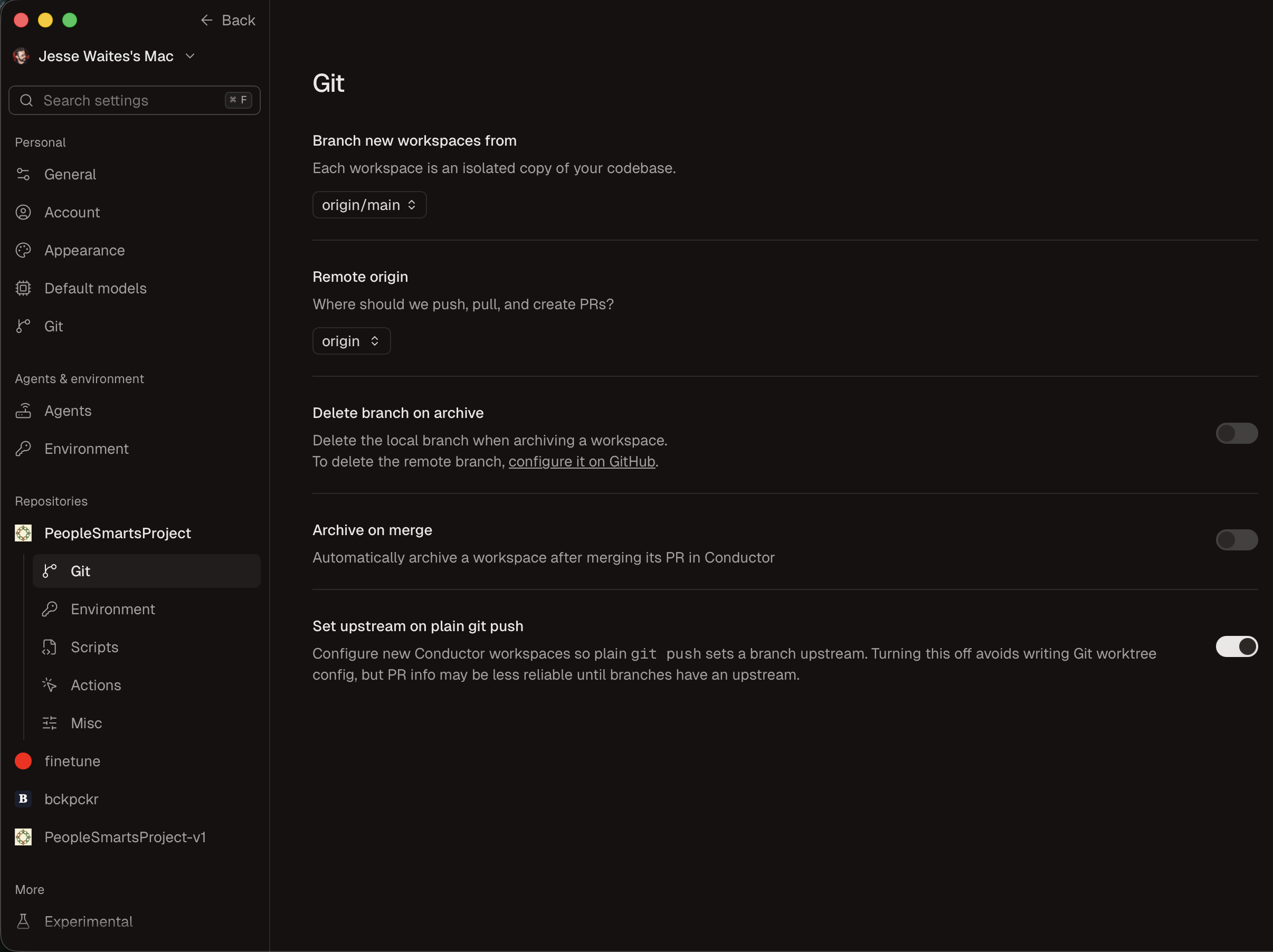
Add a repo to Conductor and you get a settings page with Git, Environment, Scripts, and Misc in the left nav. This is the recipe every new workspace gets. Set it once per repo.
- Branch from
origin/main. Each new workspace is a fresh copy of main. Push and open PRs against origin. - Clean up after merge. Archive the workspace, and optionally delete its branch, once the PR lands. The garage gets torn down when the job ships.
- Plain
git pushjust works. Upstream is set on push, so Conductor can track each branch’s PR status. - When fanning out, branch from a feature branch. More than one agent on a feature? Every workspace branches from something like
feature/invitations, never main. Main gets the feature once, fully tested. You can set this here, or per workspace when you create it. More on this in the waves section.
Repo settings: Environment
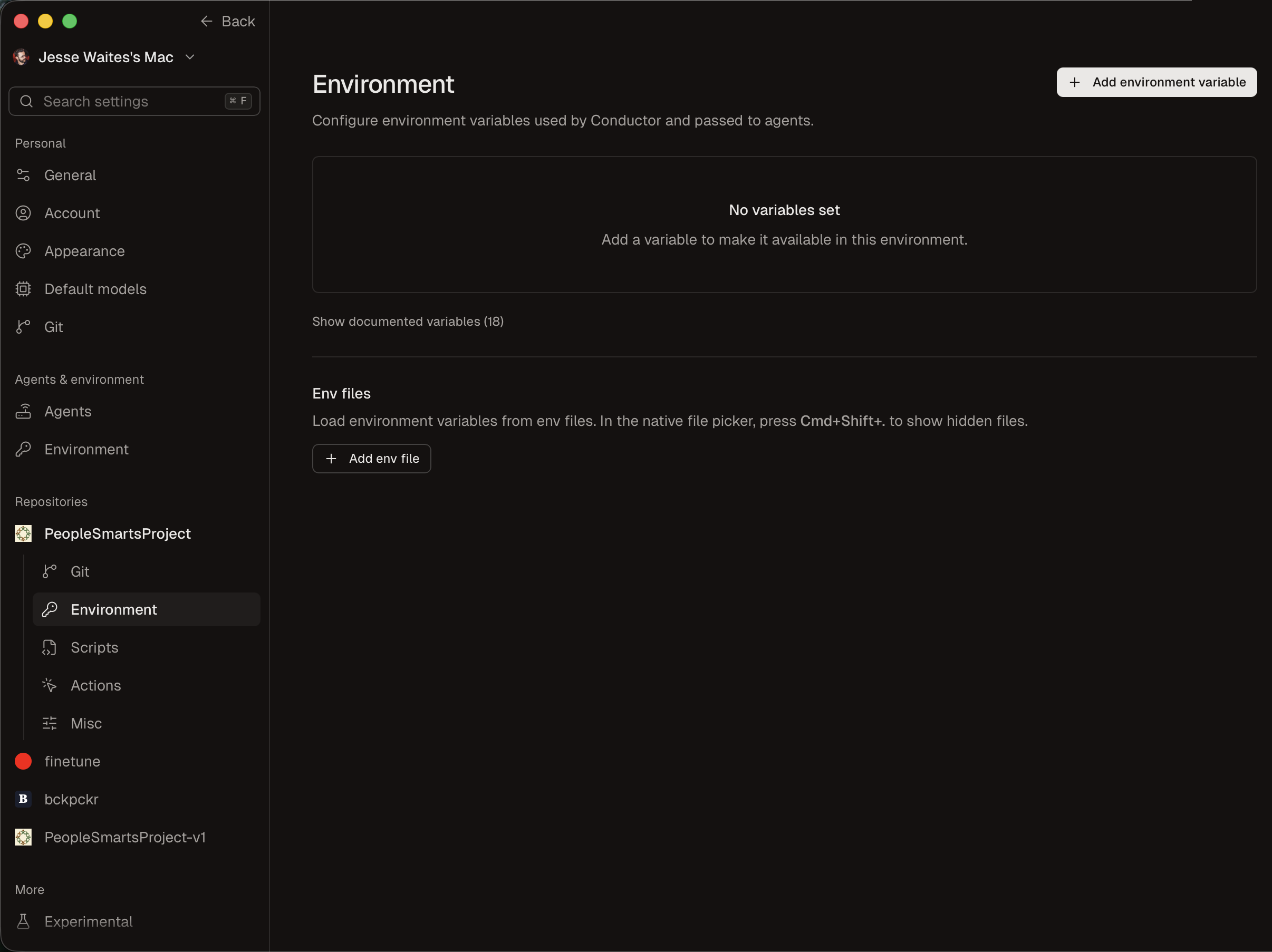
A fresh worktree has no .env, since it’s gitignored. So agents can’t reach Stripe, OpenAI, the database, whatever your app needs.
- Environment variables: add API keys and secrets once, and every workspace and every agent gets them. They’re stored in
settings.local.toml, local to your Mac and never committed. - Conductor’s own variables:
$CONDUCTOR_PORT,$CONDUCTOR_WORKSPACE_NAME,$CONDUCTOR_ROOT_PATH, and more. Which port block, which workspace, where the main repo lives. - Env files: or just point it at the
.envfile you already have.
No more “the agent couldn’t find the API key.”
Repo settings: Scripts
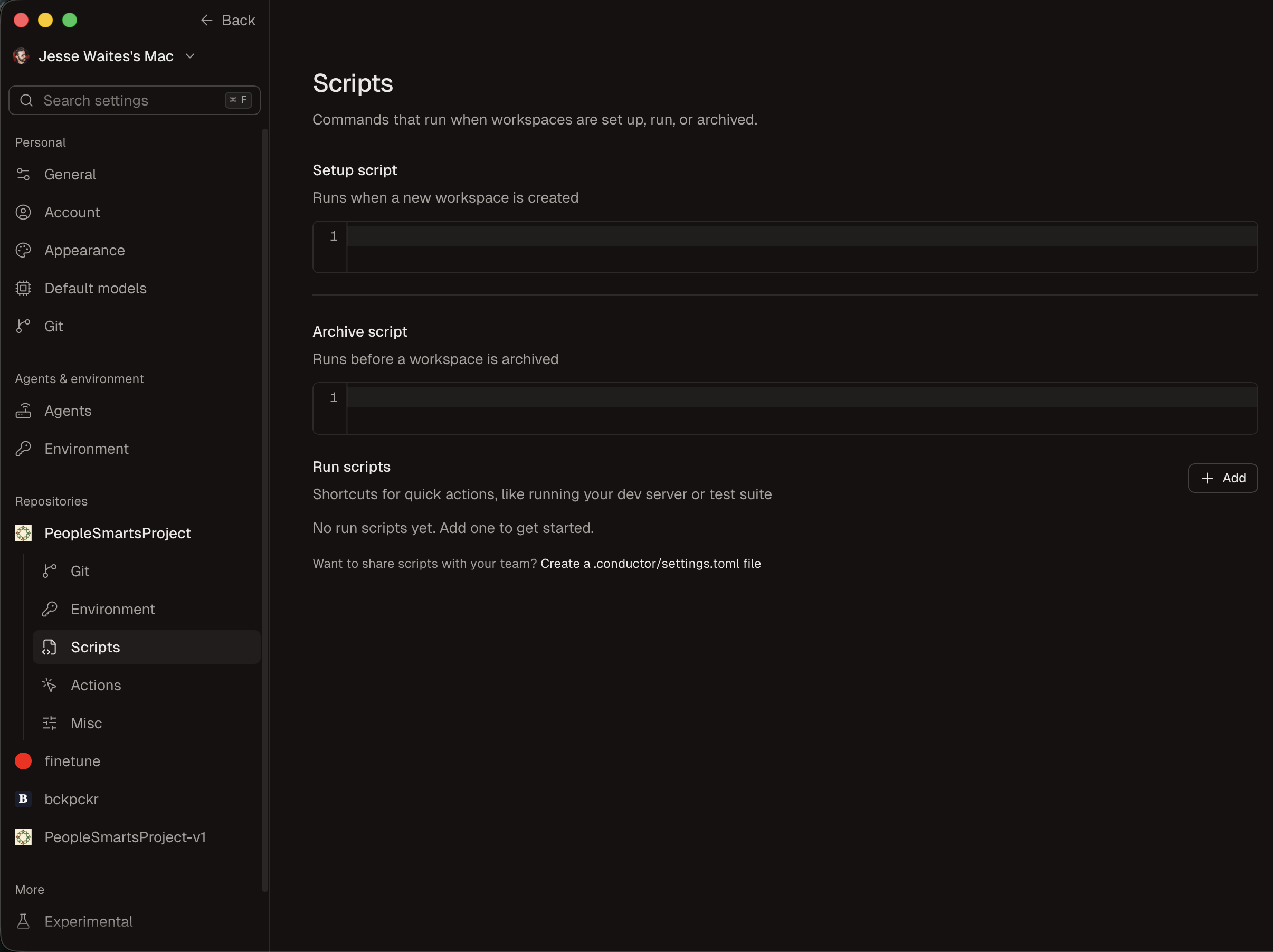
Scripts follow the life of a garage:
- Setup runs when a workspace is created: dependencies, migrations, seed data. In Rails, that’s
bin/rails db:prepare. - Run is the Run button: the dev server on that workspace’s own
$CONDUCTOR_PORT, or a test watcher. - Archive runs before a workspace is archived: stop containers, drop the scratch database. In Rails,
bin/rails db:drop.
Share these with your team through .conductor/settings.toml. If a fresh workspace can’t boot on its own, this is where you fix it.
Repo settings: Misc
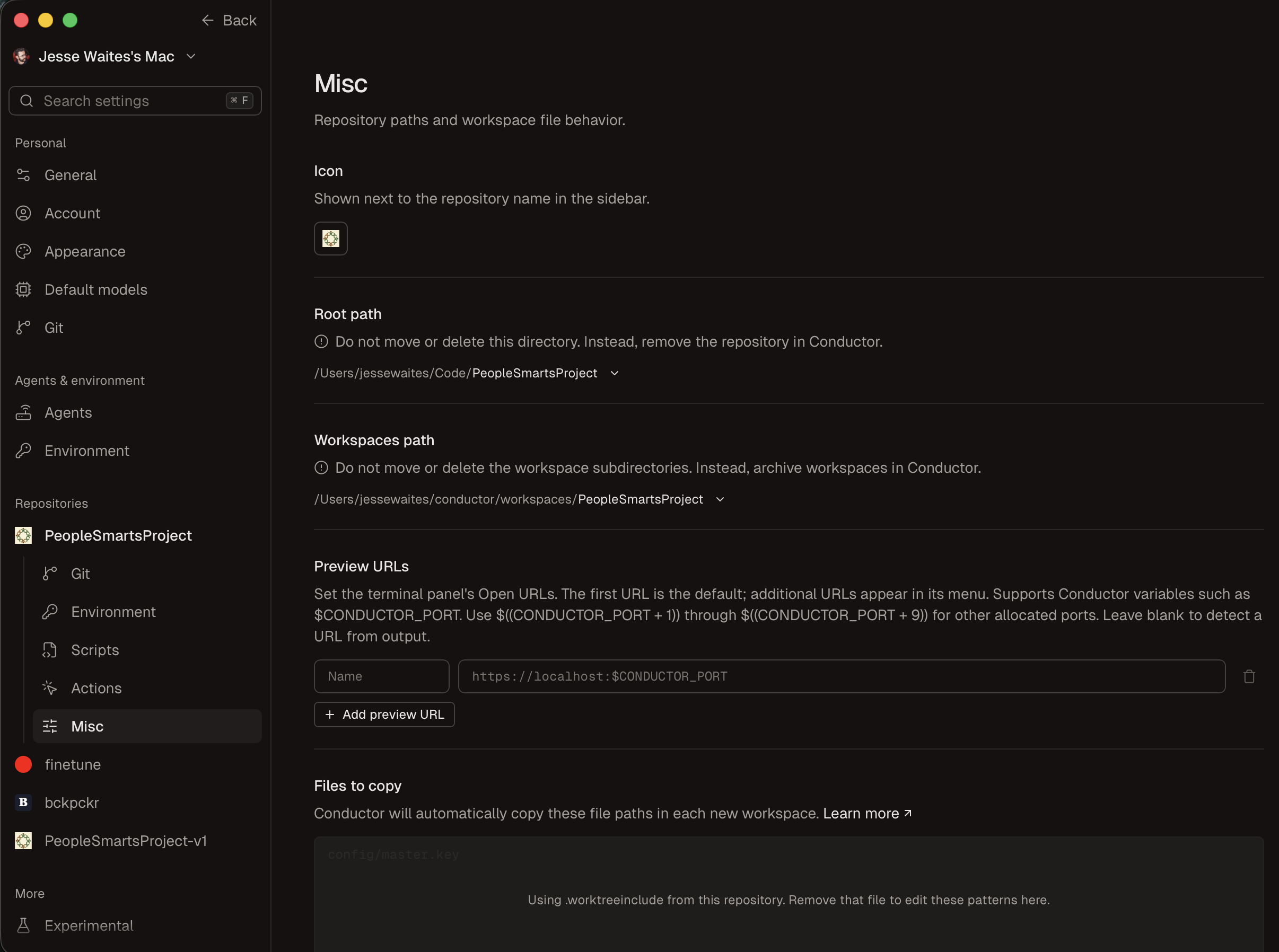
- Workspaces path: every worktree lives in
~/conductor/workspaces/<repo>. Each one is just a git worktree folder. Archive them in Conductor, don’t delete them by hand. - Preview URLs: each workspace has its own ports, so it gets its own one-click “open app” link at
localhost:$CONDUCTOR_PORT, up to +9. - Files to copy: the gitignored files a fresh worktree is missing, like
master.keyand.env. It reads the same.worktreeincludefile Claude Code’s--worktreeflag reads.
Git, environment, scripts, files: that’s the truck that stocks every garage.
Default models: pick your crew
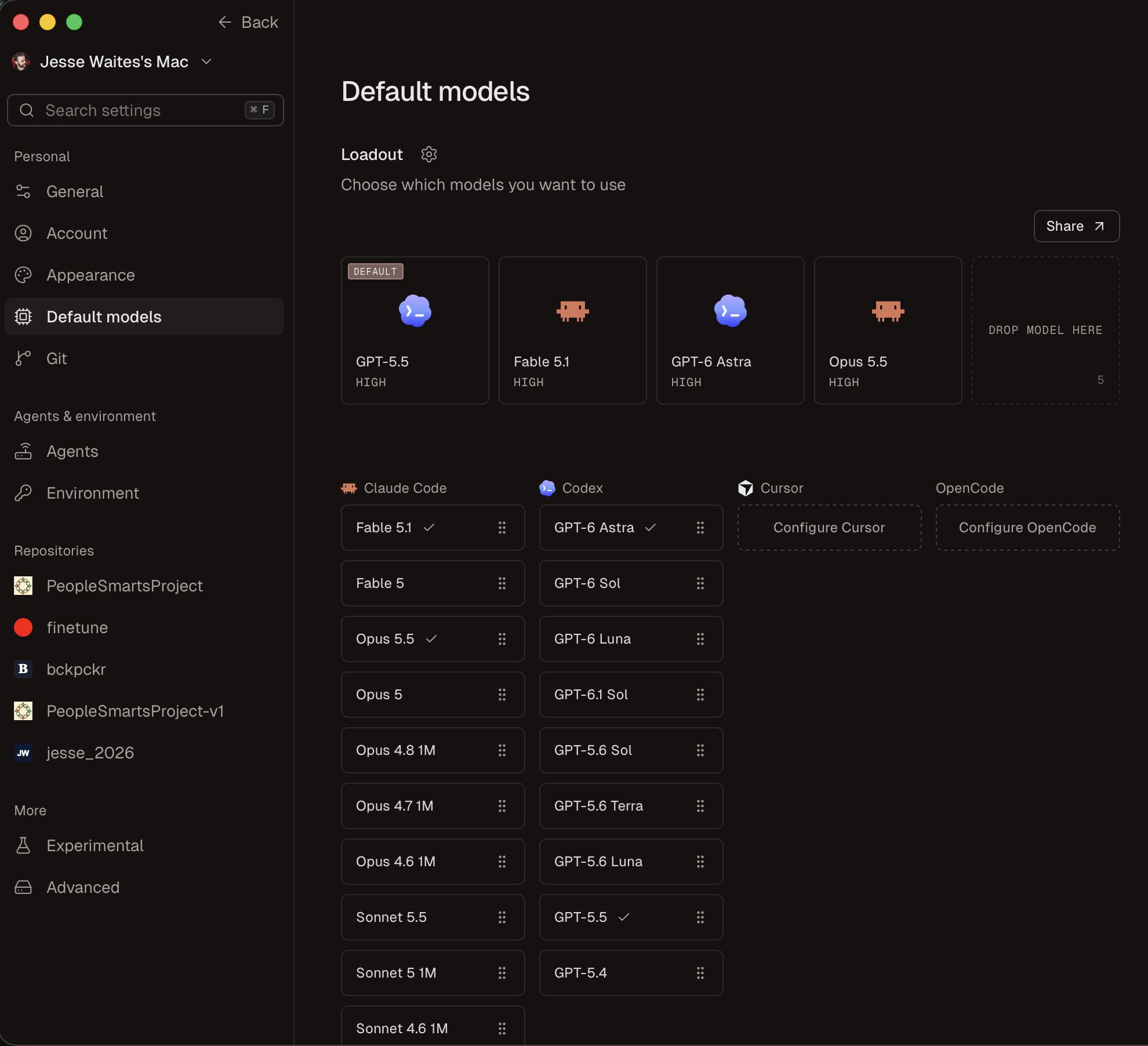
Models are a personal setting, not per repo. Your loadout is a short list of up to five go-to models, one of which is the default for every new workspace. Claude and GPT models sit side by side, because Conductor drives the real Claude Code and Codex CLIs underneath. Cursor and OpenCode plug in the same way if your team already uses them. You’re not locked into one vendor.
In a workspace: choose per garage
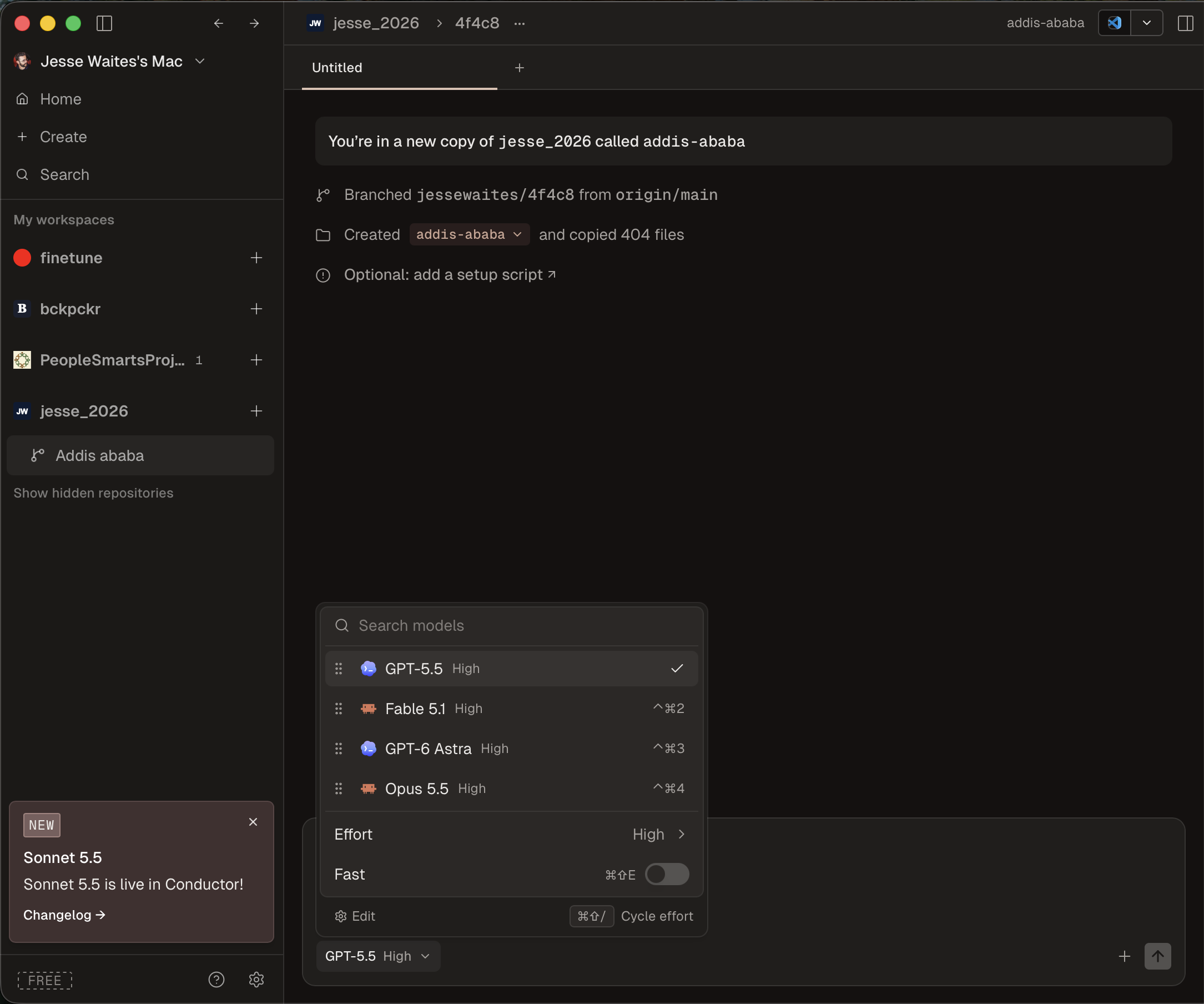
This is a brand-new workspace, before the agent has done anything. The settings paid off: branched from origin/main, 404 files copied in, .env included. From here you pick the model for this job from your loadout (one keystroke each, ⌃⌘2, ⌃⌘3, and so on) and dial the effort: think harder on hard problems, go fast on easy ones. Each workspace keeps its own model, so every garage can have a different worker.
One real task, start to finish
Before fanning out, here’s what a single workspace looks like on a real task from my own site. One workspace, no parallelism yet.
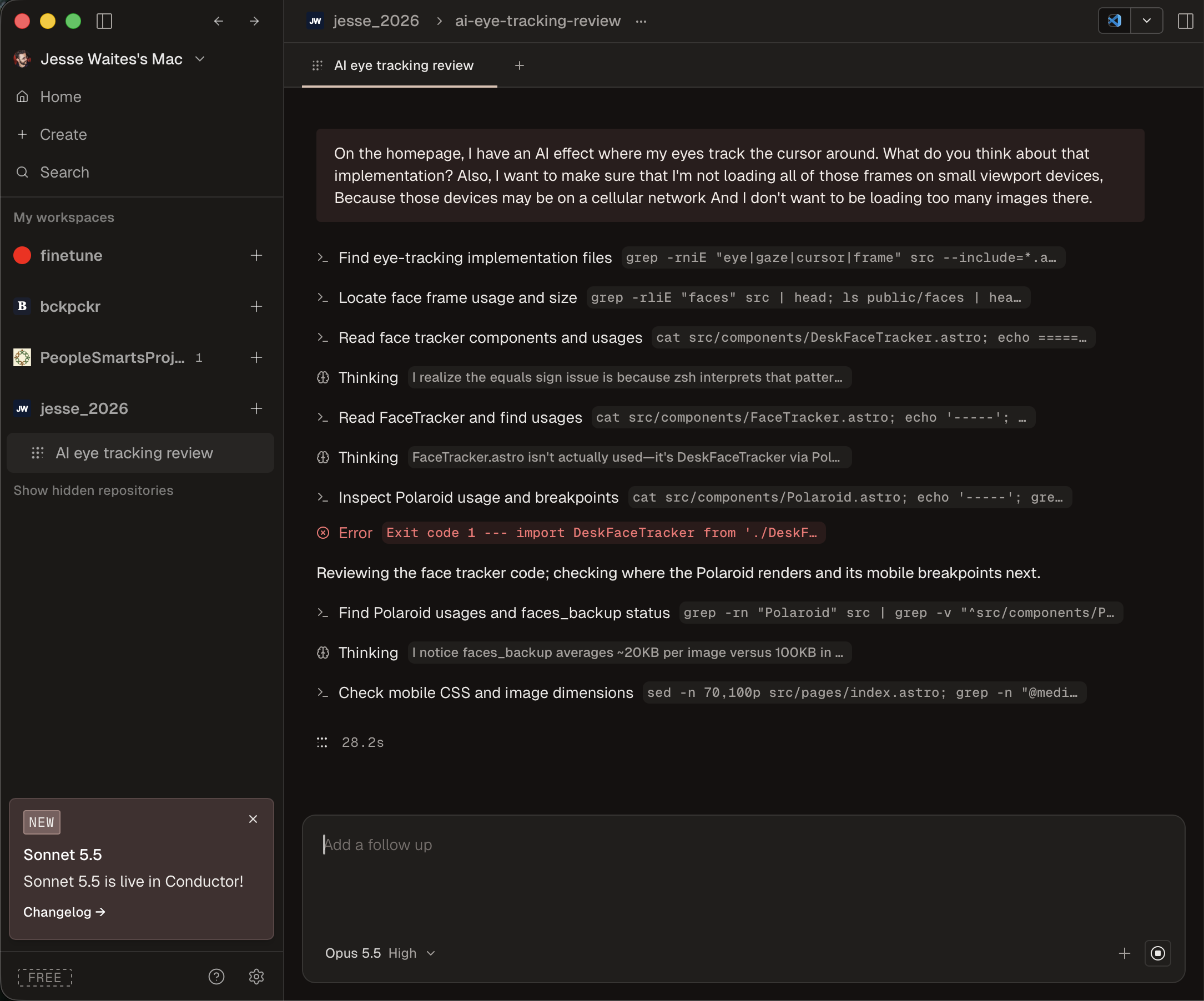
The left sidebar is the dispatch board: every repo, every workspace. I asked the way I’d ask a colleague: review the eye-tracking effect on my homepage, and make sure I’m not loading every frame on a phone that might be on cellular. Then you watch it work. Every search, file read, and thinking step is visible, live. It even hits an error and recovers. This garage is on Opus 5.5; the previous one was on GPT-5.5. You pick the worker per job.
You’re not typing code anymore. You’re supervising.
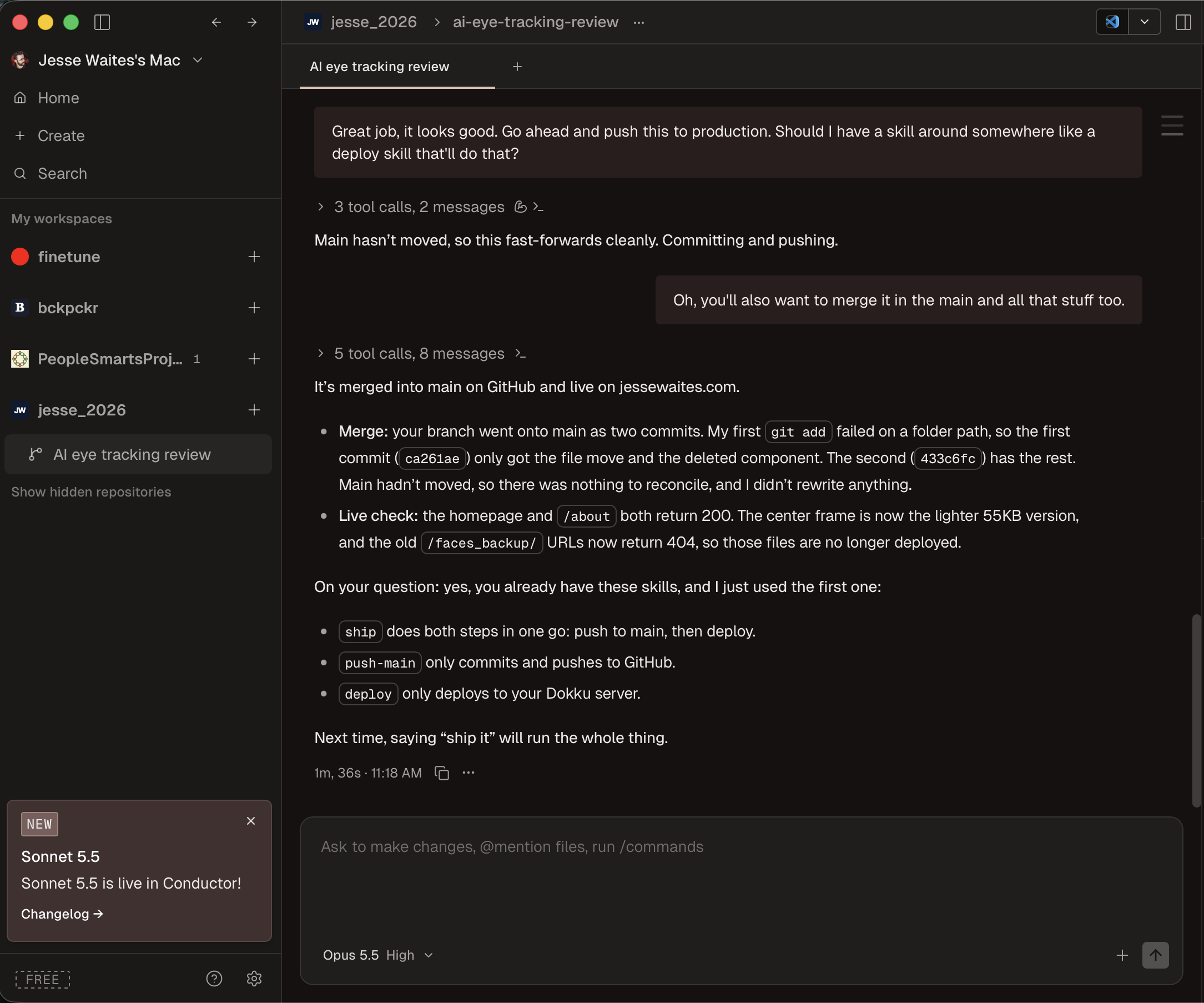
Same workspace, about a minute and a half later. I tested the change and said “Looks good, push this to production.” That’s Bob at the inspection bench. The agent merged to main, deployed, and then checked that the live pages actually load. It’s one small task on my own site, so straight to main is fine. On team code, this is where the diff viewer and a PR come in instead.
The boring parts are handled by skills: saved routines like ship, push-main, and deploy that any workspace can reuse.
One garage, one job, start to finish. Now imagine five of these at once.
Development isolation, not a security boundary
Before fanning out, be clear-eyed about what’s actually isolated. Conductor’s own docs say it plainly: workspaces are development isolation, not a security boundary.
Isolated: files and branches. Separate garages. Nobody saws through someone else’s workbench.
Still shared: ports, databases, CPU, your model account, and your user permissions. Agents still run on your Mac, as you. Same power grid, same bank account, same keys to the house.
Still shared: the database
Databases bite hardest. By default every workspace points at the same dev database. Workspace A runs a migration, and now B and C have a schema they know nothing about. Worse, B dumps a schema.rb containing A’s tables and commits it on the wrong branch. A feature branch keeps that off main, but it doesn’t protect your local database.
The fix is to treat the schema as a contract and decide it once:
- Migrations go in wave 1 with the other contracts. Written once, reviewed, merged to the feature branch. Later waves start from it.
- Builders don’t write migrations. Their brief says: “If the schema needs to change, stop and tell me.” Then you fix it in the planner workspace.
- One database per workspace. Name it after the workspace, like
myapp_dev_<workspace>, usingCONDUCTOR_WORKSPACE_NAMEindatabase.yml. The setup script runsdb:prepare, the archive script runsdb:drop. SQLite gets this for free, because the database file lives inside the worktree.
And when schema.rb conflicts, don’t hand-merge it. Merge, run the migrations, and let Rails regenerate it.
The one decision that matters
Conductor frames the whole parallelism question as a single choice: should these agents share a workspace, or work apart?
- Two features that ship separately: two workspaces.
- An implementer and a test-fixer: one workspace, because both need the same branch and the latest changes.
- A risky experiment: its own workspace, so it can’t contaminate anything.
- A second opinion on a diff: same workspace, so review comments land on the same code.
Separate garages for separate parts. Two assistants in one garage when they work the same piece of wood.
The architect: one planner, several builders
For anything bigger than two unrelated tickets, I split the work into a planner and several builders. Spend on judgment, save on volume.
The planner gets the smartest model you can get. I use Claude Fable 5.1 at high effort. If something stronger exists when you read this, use that. All the judgment lives in the plan: which tasks are independent, where the contracts go, what each builder is and isn’t allowed to touch. A planning mistake gets copied into every builder, and one planner run is cheap next to the fan-out that follows. This is the wrong place to economize.
Builders get workhorse models, in parallel. A step or two below the planner. At the time of writing that’s Opus 5.5 or Sonnet 5.5. Each builder gets a narrow, fully specified task with its own files and its own validation command, at a fraction of the cost per token. You’re running three or four at once, so the savings compound.
Then it all comes back to Bob. An agent can do the merging. I do the final testing and sign-off.
The blueprint: plan first, don’t build
The planner runs in Conductor’s Plan Mode, which has the agent plan before it touches any files. The prompt looks roughly like this, and the first line is the important one:
Plan the "team invitations" feature. Do not implement it.
Produce docs/plans/invitations.md containing:
1. Scope and non-goals.
2. Interface contracts: DB schema (exact columns/types),
   API routes (method, path, request/response JSON),
   shared TypeScript types, and the email job payload.
3. A dependency graph grouped into waves. For each task:
   owned files, files it must NOT touch, dependencies,
   and the exact validation command.
4. The merge gate for each wave and a final
   integration test.
The contracts are the joints, measured exactly. The waves are what can be built at the same time.
The plan is a committed file, not a chat message. A chat message lives in one conversation and nobody else sees it. A committed docs/plans/invitations.md means every workspace reads the same blueprint. Conductor does have a per-workspace .context folder, but it’s gitignored and scoped to one workspace. Fine for scratch notes, not for the blueprint. If it’s not committed, it’s not the blueprint.
Building in waves
Real features aren’t a flat to-do list. They’re a dependency graph. The API needs the table. The UI needs the API. The integration test needs everything. Fan it all out at once and the dependent tracks either stall, guess, or build on moving ground.
So the planner groups the work into waves. Tasks inside a wave run in parallel, each in its own workspace. Waves run in sequence, with a merge gate between each one.
Back to the chair: the back can be carved while the seat is being glued. Carving is the parallel work. Fitting is the wave boundary.
Where the waves land: a feature branch, not main
Nobody merges a half-built feature into main. So once you fan out, cut a feature branch off main, say feature/invitations. Workspaces branch from it and PRs target it.
- Each wave lands on the feature branch, and each piece is still reviewed as it lands.
- When it’s all in, test the whole thing by hand, as one build.
- Only then does it merge to main. Once.
Two costs come with this. Merge main into the feature branch regularly, or it drifts away from everyone else. And the final diff into main is big, but that’s fine, because every piece was already reviewed on its way into the branch.
This isn’t optional once you fan out. Main stays shippable and never gets half a schema.
The trick that collapses waves
Say your first-pass graph has four waves, with the UI sitting alone in wave 3 waiting for the API to be finished. Does it have to wait?
No. The UI only needs to know what the API will return: an invitation has an email, a role, and a status. Write that shape down first, as types and empty route stubs with no real logic, and that’s the contract. Now wave 1 becomes “write the contracts”: types, stubs, the migration. Small and quick. The UI builds against the contract, so it moves up into wave 2 next to the API and the email job. Three waves instead of four.
Here’s what that looks like in the plan file:
Wave 1 (contracts, one workspace)
- Track 1: Migration, shared types, route stubs
  owns: db/migrations/, src/types/invitations.ts
  depends on: nothing
  validate: pnpm typecheck && pnpm db:migrate

Wave 2 (parallel, starts after Wave 1 merges)
- Track 2: API handlers   owns: src/api/invitations/
- Track 3: Email job      owns: src/jobs/invite-email/
- Track 4: UI             owns: src/app/team/invite/
  all depend on: Track 1

Wave 3 (starts after Wave 2 merges)
- Track 5: Wire UI to real API, integration test
  depends on: Tracks 2, 3, 4
  validate: pnpm test:e2e invitations
In Bob terms: once the architect measures the joint, the leg and the seat get cut at the same time. Merging contracts first is the single best way to prevent conflicts later.
Rules for keeping waves honest
- A wave is done when every branch in it is reviewed, merged, and the feature branch is green.
- The next wave starts from the updated feature branch. A workspace branched before the previous wave merged is building on sand.
- Merge the smallest, most foundational branch first. The rest pull and re-run their validation.
- Between waves, have the planner compare the plan against what actually merged. Agents drift, and some drift is an improvement.
Conductor has no built-in wave scheduler. You run the gate yourself, and the plan file is the source of truth.
Keep waves wide and few. Three waves of three tasks is a good shape. Six waves of one task each is a sequential project in a parallel costume.
Running it end to end
Team invitations: a table, an API, an email job, a UI. Five tracks, three waves.
Wave 1. The planner writes the contracts (Track 1): shared types, empty route stubs, the migration. This is the precisely cut joint. Review it carefully and merge it to the feature branch.
Wave 2. Create three workspaces off the fresh feature branch, each on a workhorse model, each with one narrow brief (Tracks 2 through 4). Here’s what a builder actually gets:
Implement Track 2 (API handlers) from docs/plans/invitations.md.
Only edit files under src/api/invitations/ and tests/api/invitations/.
Do not change src/types/invitations.ts; if a contract seems wrong,
stop and tell me.
Done when: pnpm test tests/api/invitations passes.
One task from the plan. Owned files only. Don’t touch the joint. Done means a command passes.
The most important line is the escape hatch: “if a contract seems wrong, stop and tell me.” Same goes for the schema: no new migrations. The blueprint will be wrong sometimes. When it is, fix the contract once in the planner workspace, merge it, and have every builder pull it. Never let four agents each patch the joint differently.
Bonus: if the UI track has a design, the builder can read it directly. Paper ships an MCP server that lets an agent read your design files, and Conductor sessions load your MCP config, so the frame becomes the visual half of the blueprint.
Review. As each builder finishes, I review its diff. Merges go in one at a time, smallest first, and an agent can do the merging. After each merge the remaining workspaces are behind, so they pull the feature branch and revalidate.
Wave 3. Re-plan against what actually merged, then create the last workspace to wire the UI to the real API and run the integration test (Track 5).
Ship. I test the whole feature branch by hand, and it merges to main. Archive the workspaces and update the plan file so the next feature starts from truth.
Contracts first, then wide waves, then one merge to main.
Where the analogy breaks
This is the part I care most about. A chair leg doesn’t change shape after it leaves the garage. Code does.
A textual conflict is two branches editing the same lines: lockfiles, route registries, barrel files. Annoying, but git catches it.
A semantic conflict is worse. One branch renames name to fullName, the other still reads name. Git merges it cleanly, and it breaks. Git can’t see it. Only tests and the final integration check catch it.
File ownership in the plan and merging contracts first are mitigations, not a cure. That’s why the full test on the feature branch matters.
Every agent spends from the same account
Conductor doesn’t bill for model usage. Your model account does, and it has rate limits. Five parallel sessions are five times the tokens and five times the rate-limit pressure. Hit the ceiling and every agent stalls.
That’s the other reason for the tiering. The frontier model goes on planning and review: judgment, and it runs once. Workhorse builders handle execution, which is where the volume is, at a fraction of the price. Put the expensive brain where the judgment is, not where the volume is.
Review doesn’t parallelize
This is the constraint that caps everything. Remember Bob becoming the foreman? Here’s where he gets buried.
Agents produce diffs in parallel. You get through them one at a time. Four agents times a twenty-minute diff each is eighty minutes of reading, for you. Your review bandwidth is the real speed limit, not the number of agents.
Agents can review and even merge, but you’re still the one who signs off. Size tasks so each diff is one sitting. Waves help here too, because review arrives in batches the size of a wave instead of all at once.
Sometimes one garage is the right answer
“Parallel” isn’t free. It’s a trade. Don’t fan out when you have:
- A cross-cutting rename. It touches everything. One workspace, or you’ll conflict everywhere.
- A strict chain. Every task needs the one before it. There’s nothing to run in parallel.
- No idea what you want yet. Explore in one workspace first, then plan.
- A project that can’t boot from a fresh checkout. Every workspace fails the same way. Fix that first.
- A five-minute task. Coordinating it costs more than it saves.
The alternatives: own the workflow, or own the terminal
There are two camps: tools that own the workflow, and tools that own the terminal.
Conductor (Mac app) owns the workflow: worktree, setup, review, PR, merge. Delegate, review, and merge in one place. Pick it for the whole loop on a Mac.
cmux (Mac terminal, free and open source) owns the terminal. It’s built on Ghostty, with vertical tabs showing branch and ports, and “notification rings” when an agent needs you. It deliberately doesn’t manage worktrees. Their words: “a primitive, not a solution.” Pick it to build your own workflow.
herdr (Linux, Mac, Windows) owns the terminal, anywhere. It’s a single Rust binary that runs inside your existing terminal, tmux-style, with a sidebar rolling agents up to blocked, working, done, or idle. Sessions survive detach and SSH drops, and it has first-class herdr worktree commands. Pick it for Linux or remote servers.
Do it yourself and own nothing. Claude Code’s claude --worktree flag creates a worktree under .claude/worktrees/, and plain tmux plus git worktree is free and universal, all by hand. Pick it if you like wiring.
They aren’t exclusive. A Conductor workspace is just a directory, and you can open it in any of them.
Try it Monday
Don’t start with ten agents. Start boring.
Week one:
- Install Conductor and add one repo.
- Make sure a brand-new workspace installs and runs the app on its own.
- Add a
.worktreeincludefor your env files. - Put
$CONDUCTOR_PORTin your run script. - Open two workspaces on two clearly separate tasks.
- Test and sign off on both.
- Watch your token spend for a week.
Once that’s boring:
- Run a Fable planner on something bigger.
- Commit the plan and the contracts to a feature branch.
- Fan out a wave of workhorse builders.
You’ll find out fast whether Bob’s assistants are helping, or whether Bob is just buried in chair parts.
If you remember three things
- Parallelism is a planning problem. Starting agents is easy. A blueprint with contracts and file ownership is what makes the parts fit. More agents doesn’t mean more output unless someone draws the blueprint.
- Waves, not a flat fan-out. Contracts first, then wide waves on a feature branch. Main only gets the finished feature.
- Review is the ceiling. You can clone the garage. You can’t clone Bob. Size every task so its diff is one sitting.
If you want help running agents in parallel on your codebase, or with software and AI in general, I’m available for consulting at JTPCK.com.